Configure UHD video output
UHD 4k video can be output in 2 different formats:
- Quadrant squared division (4 x 3G links only)
- 2 sample interleaved (4 x 3G or single 12G)
-
From the Home page, select the RECEIVER item from the required feed then click .
-
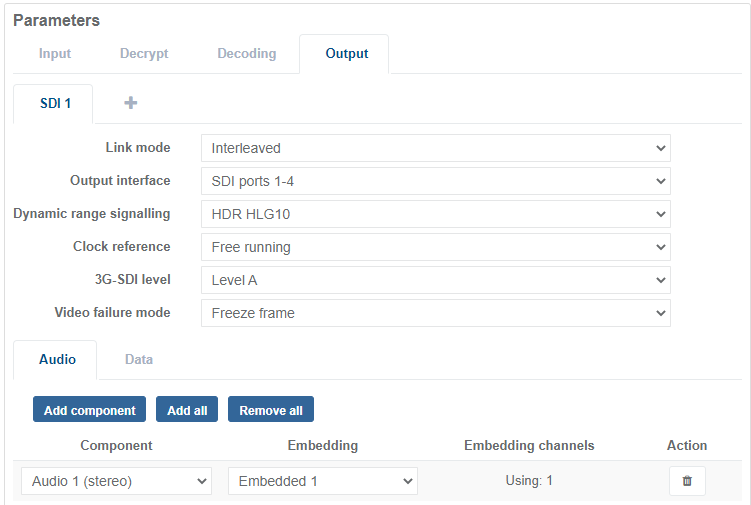
From the Parameters section, select Output to display options.
-
Select the Link Mode format required for the video output.
-
Set the Clock Reference.
-
Configure audio output and data output accordingly.